Scale Space Cymatist
A downloadable tool for Windows, macOS, and Linux
Powerful Cymatics Engine
Cymatics n. Sound and vibration made visible.
Scale Space Cymatist was designed from the ground up for performers, musicians, tinkerers and anyone who wants to see their music playing in a physics environment.
Compare To Similar Tools
✅ Yes ⚠️ Partial ❌ No
| - | Cymatist | Magic Music | Syne sthesia | Nest Drop | Reso lume | Touch Designer |
|---|---|---|---|---|---|---|
| Price | $39 | $49–99 | $20/mo. | $30 | €299 | Free/Pro |
| Audio-reactive | ✅ | ✅ | ✅ | ✅ | ✅ | ✅ |
| Visuals generate audio | ✅ | ❌ | ❌ | ❌ | ❌ | ⚠️ |
| Real-time GPU Physics | ✅ | ⚠️ | ❌ | ❌ | ❌ | ✅ |
| Zero install (Browser) | ✅ | ❌ | ❌ | ❌ | ❌ | ❌ |
| No node-graph | ✅ | ⚠️ | ✅ | ✅ | ✅ | ❌ |
| Built-in Benchmark | ✅ | ❌ | ❌ | ❌ | ❌ | ❌ |
| Ease of Use | ✅ | ❌ | ⚠️ | ✅ | ⚠️ | ❌ |
| Self-guided onboarding (quests) | ✅ | ❌ | ❌ | ❌ | ❌ | ❌ |
| Fully Offline | ✅ | ✅ | ⚠️ | ✅ | ✅ | ✅ |
| Windows | ✅ | ✅ | ✅ | ✅ | ✅ | ✅ |
| Mac | ✅ | ✅ | ✅ | ❌ | ✅ | ✅ |
| Linux | ✅ | ❌ | ❌ | ❌ | ❌ | ❌ |
About Cymatist
- Emergence Engine
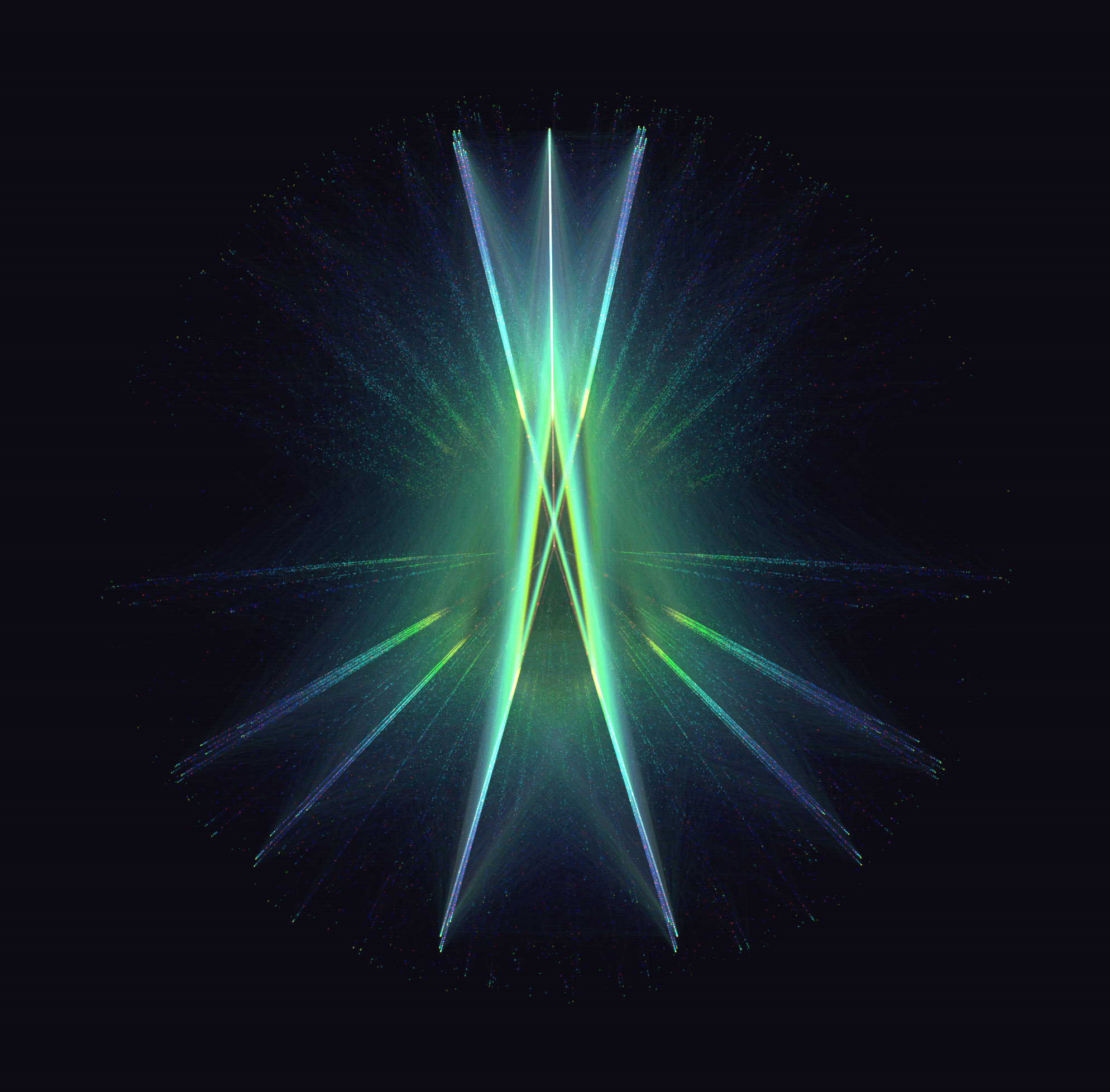
At the heart of Cymatist is the Scale Space engine: a lightweight webGPU/threejs particle system suspended in a state of dynamic equilibrium and tunable with physics-based parameters like Coherence, Temperature and Excitation. Scale Space makes it possible to see the very same phase space accessed by oscilloscopes, Turing patterns, and physical cymatics among other methods. - Cymatics
The cymatics engine gives you numerous ways to patch these physics parameters to the band ranges in your music. For example, you may patch Coherence to the bass range. Depending on your configuration, as bass intensifies, Coherence moves in the direction you specify. All parameters can be customized this way for a rich, detailed audio-visual experience that is completely custom to your music and doesn't require learning complex node-based workflows. - Sonify
This engine gives you full control over a soundscape generated by the particle system itself. Choose from a myriad of voices like choral, theremin, piano, percussion, and patch each voice to the parameters of your choice. The resulting soundscape will be entirely unique. Couple this with cymatics and the sound can feed into the particle system and the loop is complete. The particle system reacts to the noise it makes (which is kind of like letting the universe make music for you).
Why Cymatist Is Different
- The Particle Field is an Instrument
In every other tool, audio drives the visuals. In Cymatist, the particle field is the instrument- its dynamics generate sound. No other audio reactive tool handles this feedback loop natively. - Offline-first with no install
Cymatist is a single-file, zero-install experience that runs in your browser. - Built for Performance
The built-in hardware benchmark evaluates your machine per-effect, telling you exactly what you can push before you start. - Interface that Teaches You How to Use it
The quest system teaches the interface naturally as you play, unlocking hidden interactions as you go (and making it fun!)
Features
Control Physics
- GPU-accelerated field of up to one million particles
Rendered with WebGPU. Runs at interactive framerates on modern hardware, with a built-in optimizer to find the right ceiling for any machine using WebGPU. - Continuous physics dynamics
Cymatist marries the cellular automata work of John Conway with a particle physics engine to bring emergent phenomena to life. - Twelve core parameters
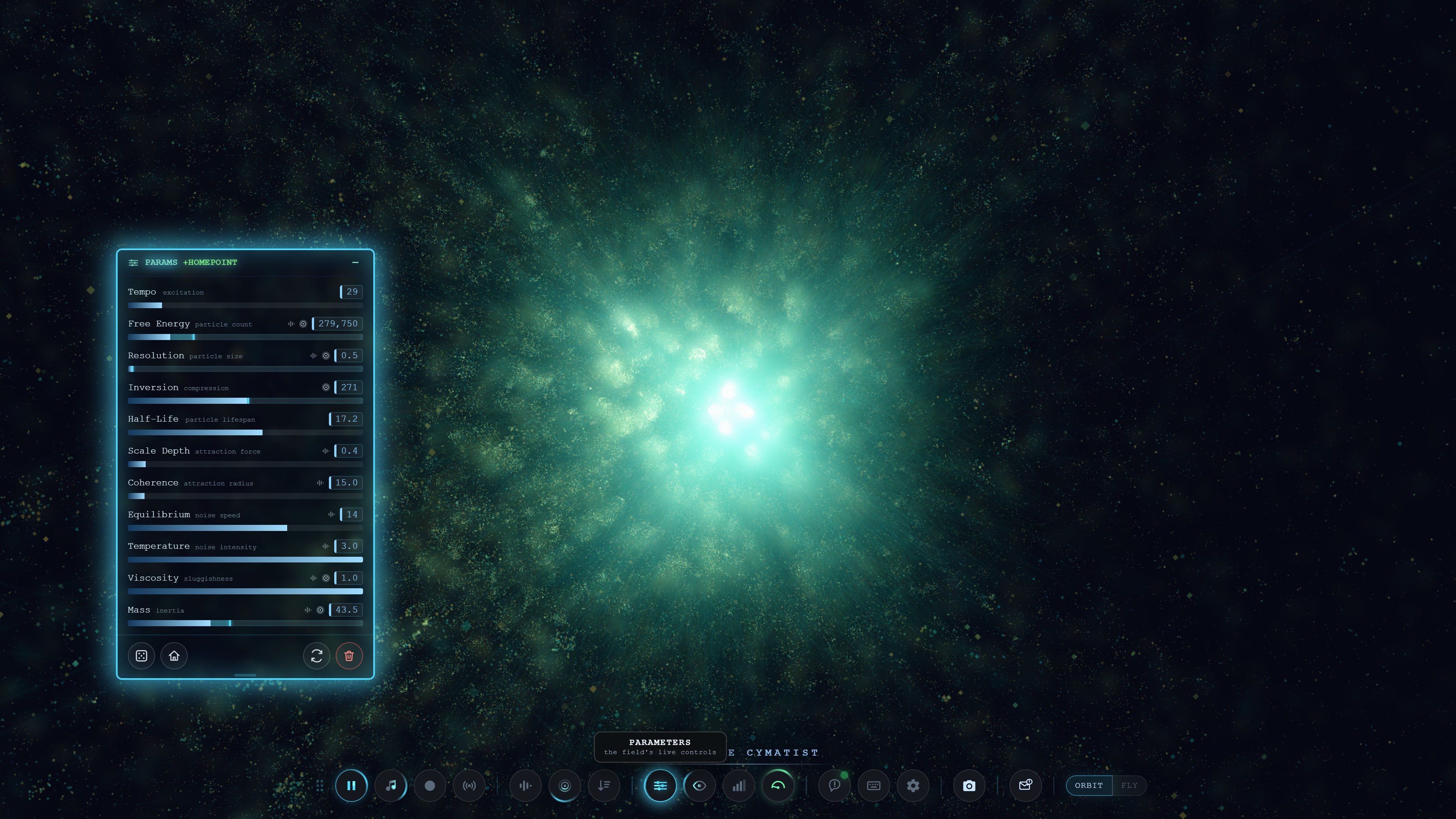
Each on its own slider and live readout:- Free Energy: particle count / drive
- Half-Life: how long a structure persists before decaying
- Coherence: how strongly particles pull into shared structure
- Resolution: particle size
- Inversion: compression of the force field
- Scale Depth: attraction strength
- Equilibrium: noise speed
- Temperature: noise intensity
- Viscosity: how sluggishly the field moves
- Mass: particle inertia
- Tempo: overall rate of motion
- Freeze / unfreeze
For still composition or screenshots. - Re-initialize
Reseed the field from scratch without losing your settings.
Make It Pretty
- Five color modes
- Mono: pure white particles on black
- Size: hue mapped to particle size
- Velocity: hue mapped to speed
- Density: hue mapped to local crowding
- Adapt: colors change as the system changes
- Color Spectrum Range and Saturation
Sliders that shape the palette from tight and monochromatic to wide and vivid. - Two particle-connection styles (Strings and Lattice)
Draw lines between particles for a more structural look. Both can run together. - Particle shapes
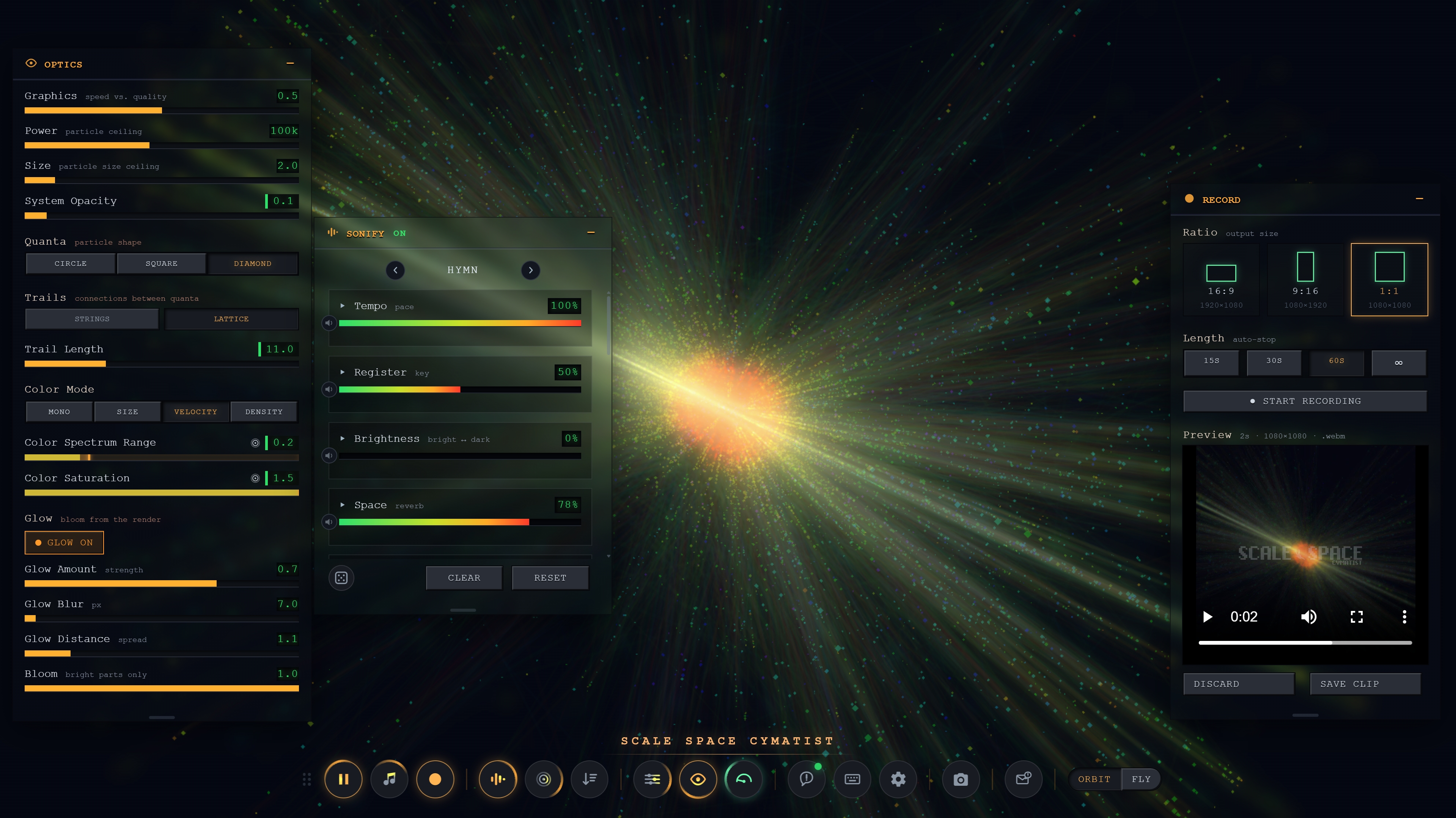
Circle, square, or diamond. - Full bloom/glow stack
Glow amount, blur, spread, and a bloom threshold that lets you dial exactly how much of the brightest material blooms. - Trail length
For motion smear and light-painting effects. - Backdrop control
An ambient background glow that samples the field's own average color, with adjustable intensity and blur.
BYOA (Bring Your Own Audio)
Cymatist doesn't just make its own audio- it accepts your own music as an input, bringing your music to life!
- Audio file
Drag and drop an MP3. The field reacts to the music in real time. - Microphone
See your own voice driving the particle system. - System Audio
Accepts tab, window, or screen for ultimate flexibility.
Nothing is looped back into your speakers, so there's no feedback.
Cymatics: Making Waves
- Six frequency bands
Sub, bass, low-mid, mid, high-mid, treble, each with its own live level meter. - Patch any band to any parameter
Build your own mapping from sound to motion, with adjustable depth. - Additive and Override modes
Layer the audio modulation on top of your slider settings, or let the audio take full control of a parameter. - Channel Surf
Roll a fresh randomized patch scheme across all bands in one click to discover new mappings.
Sonify: Particles That Sing To You
(Like a trained monkey you keep in a cage™)
Think of it like an orchestra controlled by your parameter settings.
- A full ensemble of voices
Contrabass, low strings, woodwinds, theremin, choir, ambient piano, timpani, and a set of textural voices (drift, pulse, shimmer, pizzicato) each with its own tone and articulation controls (tone, air, phrasing, decay, weight, density). - Ensemble-level controls
Tempo, Register, Brightness, and Space, for placing and shaping the whole arrangement. - Preset arrangements
No need to start from scratch. - Per-voice level and patching
Build an arrangement that plays whatever the particles are doing. - Channel Surf
Nudge every voice at once to explore variations.
Recording
- Built-in clip recorder
Capture the live composited output (field plus backdrop) at a fixed aspect ratio. - Choose your framing
Landscape (1920×1080), vertical (1080×1920), or square (1080×1080). - Set a video length
15, 30, or 60 seconds, or record open-ended and stop when you're ready. - Export as MP4 or WebM (or both)
Pick the format you need without re-recording. - Audio is captured while recording
Whatever you hear is what goes into the clip. - Inline preview
Play controls so you can review the take before saving or discarding.
Go Live: Streaming And Live Show Projection
- Live output window
Carrying the same composited feed as the recorder, with no interface chrome. - Capture it directly in OBS (or any capture tool)
With window Capture, route your visuals into a stream, a projector, a second monitor, or a video call. - Output resolution up to 4K
1080, 1440, or full 4K, at your chosen aspect ratio. - Live feed preview
Inside the panel while you're broadcasting.
- Record while streaming
Recording and live output are independent- both can run at once (if your system can handle it). - Idiot proof
You'll never accidentally see interface controls on your stream.
Camera And Navigation
- Two camera modes: Orbit and Fly
Rotate around the system or fly through it, FPS style (WASD) for a personal experience. - Reset view
Returns you to the default framing if you get lost. - Optional orbit inversion
For whichever drag direction feels right to you.
Set List: Saving And Revisiting
- Save keyframes
The full parameter and optics state, plus camera framing- as named entries with thumbnails. - Return to any keyframe instantly
A smooth animated transition takes you there. - Build a set list
Fly through your keyframes automagically. A hands-free sequence for performances or ambient display. - Share and Import
Each keyframe generates a portable share string, so you can share any configuration with a collaborator or import one they share with you.
Performance
- Benchmarking
One button assesses your machine live- measuring real framerate as it tests particle count, graphics quality, particle size, and the Strings/Lattice connection styles in different combinations, and makes suggestions on which features will strain your machine. Re-run it any time. - Entropy System (framerate monitor)
A live gauge, so you can always see how hard your system is working. - Graphics quality slider
Manual control over the speed-versus-fidelity trade-off.
Interface
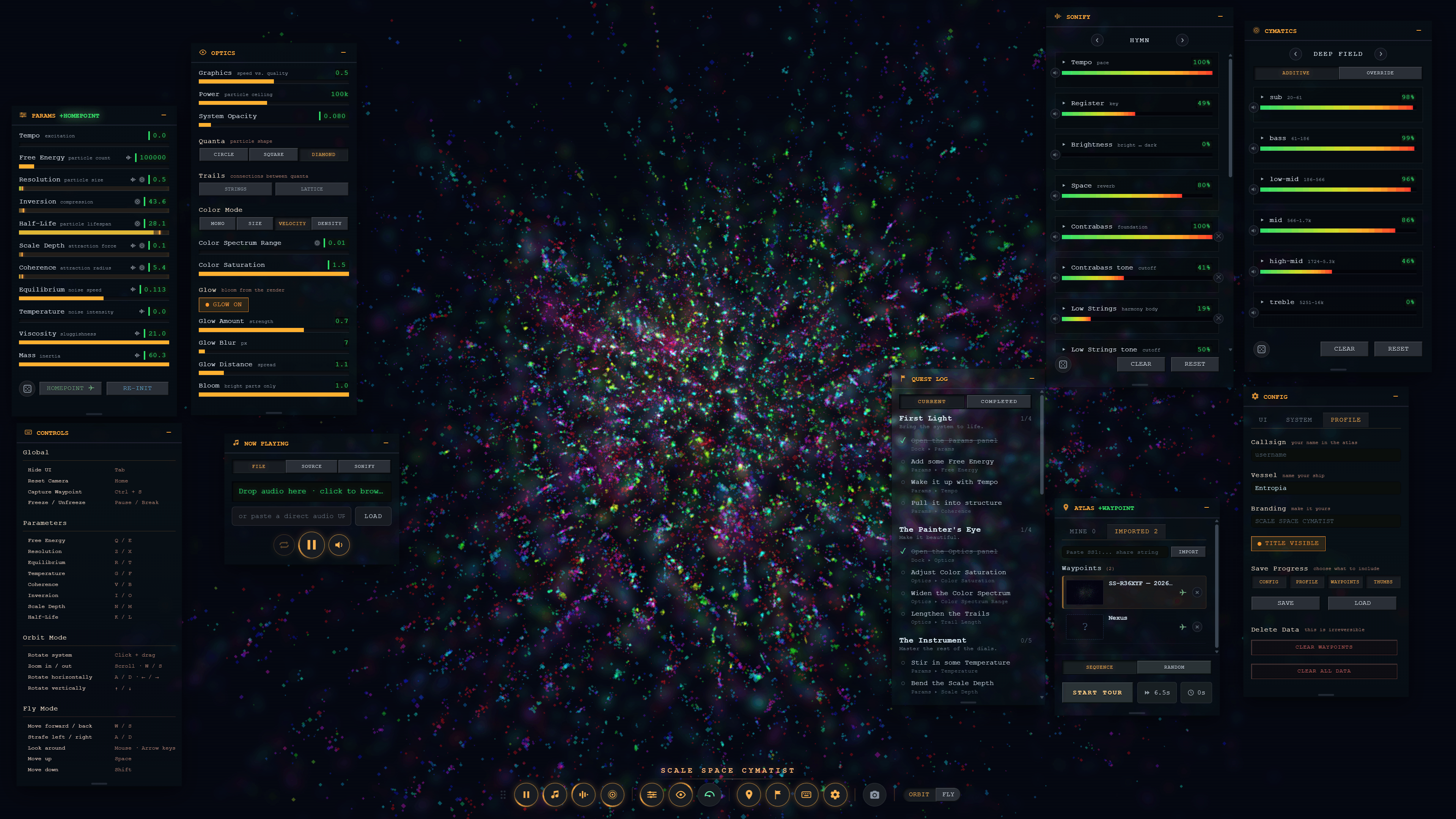
- Modular panel workspace
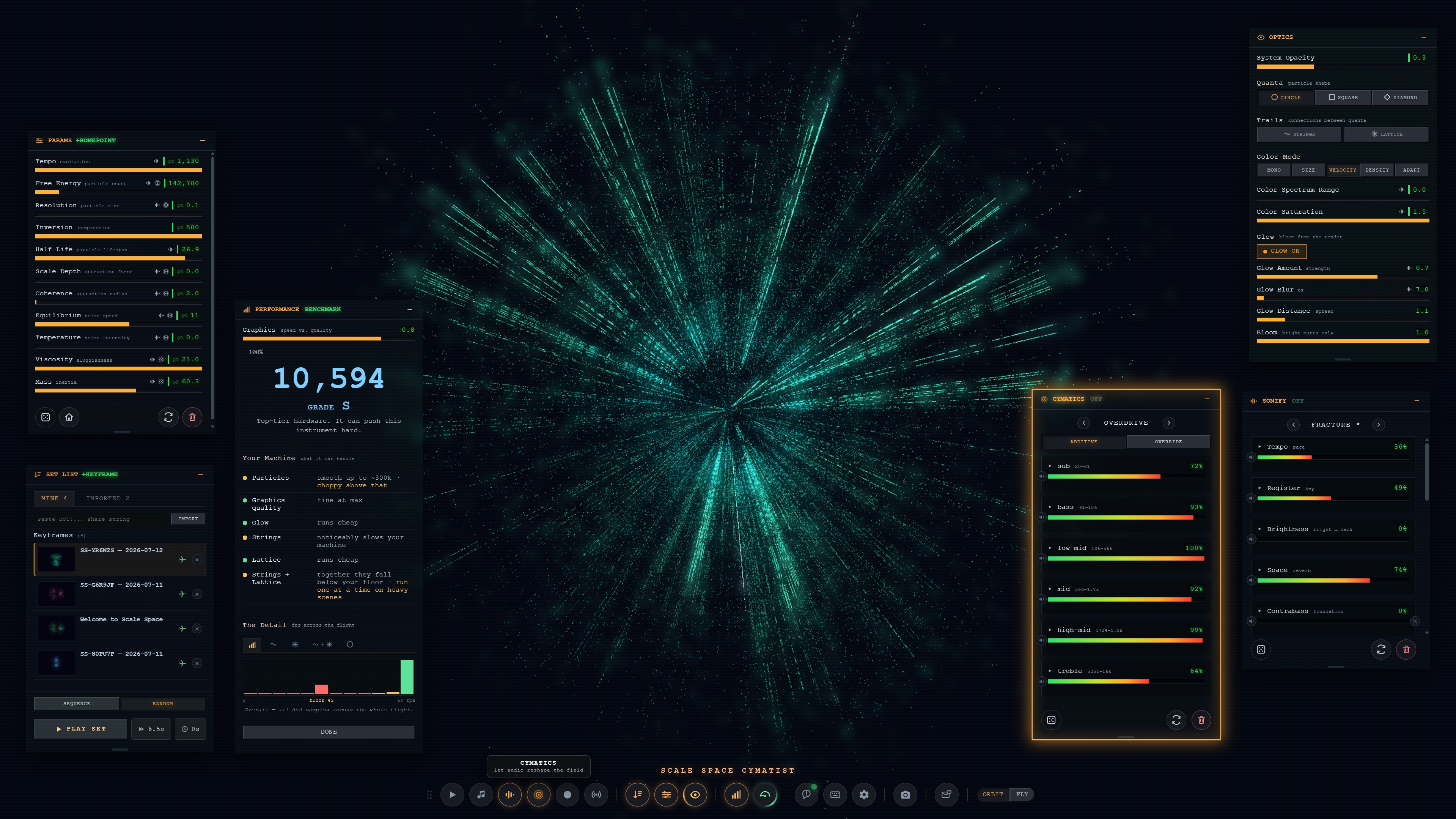
Every section- Params, Optics, Now Playing, Cymatics, Sonify, Record, Live, Set List, Entropy, Config- is a movable panel you arrange however you like. - Reorderable dock
Middle-drag any button to rearrange the toolbar. - Persistent layout and settings
Your panel positions, sizes, open/closed state, and parameter values are remembered between sessions. - UI themes
Four UI themes in the base release. - Screenshot capture
With control over exactly what's included in the frame. - Guided onboarding, gamified
An optional quest log walks you through the instrument's capabilities at your own pace, in any order. - Unbound parameters
Unlock your bounds past their normal ranges when you want to push the system further.
Technical
- Runs entirely in the browser
Windows, macOS, and Linux. WebGPU required. - Approximately 1.5 MB.
It doesn't get more portable than that. - Your work stays on your machine
Settings, keyframes, and recordings are local, but you can export and import your entire configuration if you need to wipe your data.
Performance
- Runs in any modern WebGPU-compatible browser
All of the main browsers support WebGPU. - Performance is fully customizable
If your machine is a potato, fret not! The benchmark tells you exactly how far you can push before seeing system slowdown.
Community
- /r/ScaleSpace
Post your videos and screenshots, ask questions, or share your tips and workflows with the Scale Space community at /r/ScaleSpace.
All art in Scale Space is procedural. Scale Space was initially built in Unreal Engine using blueprints, then agentic AI was used to code the port to WebGPU (due to extreme complexity) and add new features + quality of life improvements.
Purchase
In order to download this tool you must purchase it at or above the minimum price of $29.99 USD. You will get access to the following files:
Development log


Leave a comment
Log in with itch.io to leave a comment.